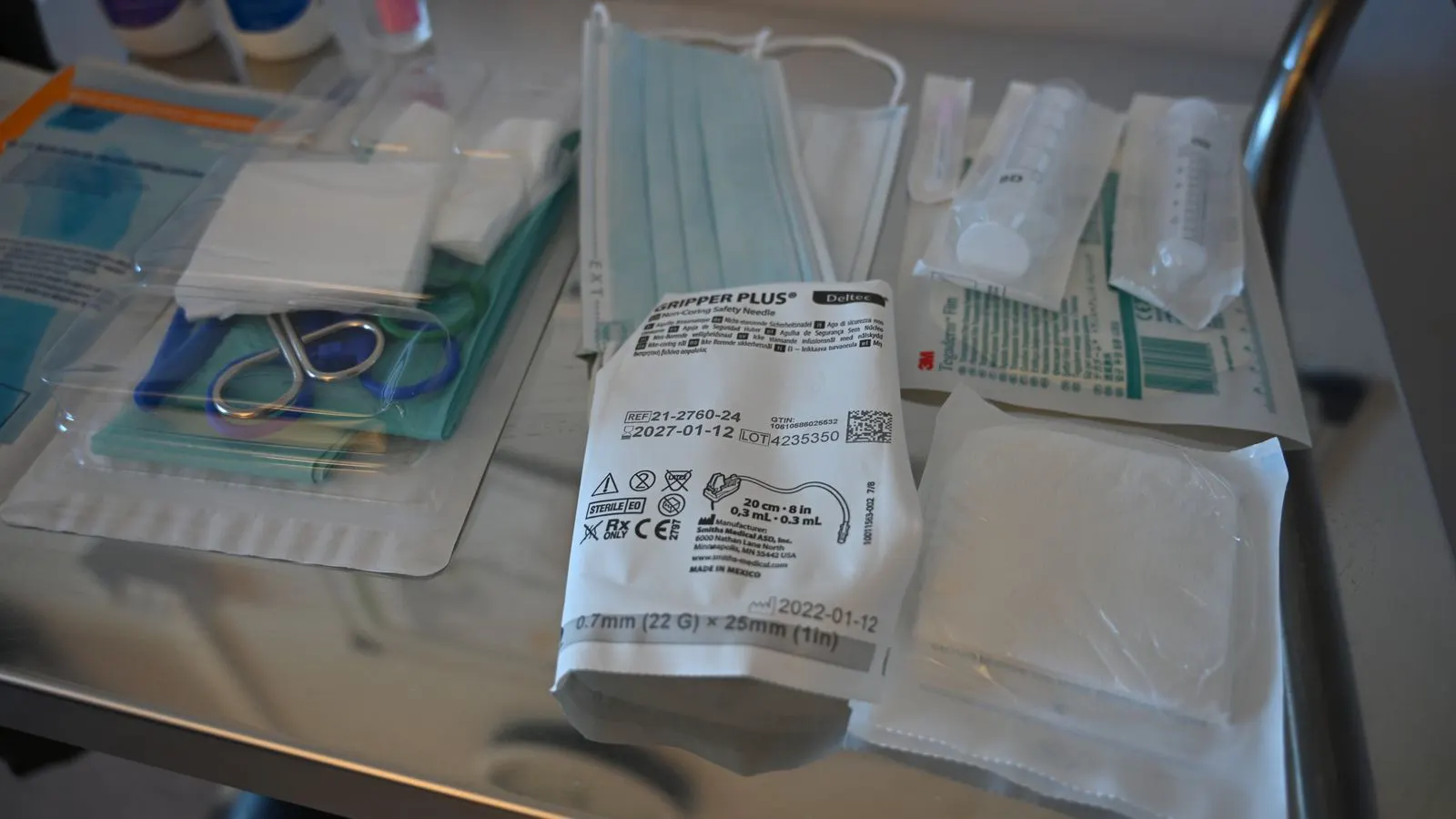
Poor batch code printing on sterile pouches creates traceability risks and rejects. This guide helps you diagnose common symptoms, identify root causes in the supplier process, and apply corrective actions to prevent recurring defects.
- Fuzzy or illegible batch codes usually indicate a failure in the supplier's print alignment, ink supply, or pouch material.
- Always verify code legibility against your site's acceptance criteria before releasing stock.
- Request the supplier's recent QC records and corrective action reports when defects appear.
- Standardize your incoming inspection checklist to catch these issues early.
- Coordinate with the supplier to review their process changes or material substitutions.
Why batch code legibility fails on incoming pouches
Batch code legibility is the first thing your receiving team sees when opening a carton of sterile pouches. If the code is faint, smudged, or missing, the pouch is not just a quality concern. It blocks traceability. You cannot link that specific product back to a sterilization cycle, a material lot, or a sterilization certificate.
This problem appears more often than expected. It can stem from a faulty ink cartridge, a misaligned print head, or a change in the pouch substrate. Sometimes the supplier changed the ink viscosity or the printing speed without notifying you. These subtle shifts reduce the contrast of the printed code.
Your receiving team needs a clear way to separate these issues. A fuzzy code is not the same as a missing code. The response differs. You need to identify the cause quickly so you can reject the lot, hold the inventory, or request a supplier correction.
Symptoms of poor batch code printing
Do not rely on a single check. Inspect the pouch from multiple angles and under different lighting. The symptoms below help you categorize the defect.
- Faint or low contrast: The code is visible but barely readable. This often points to low ink pressure or a dirty print head.
- Smudged or bled code: The ink has spread into the pouch material. This happens when the pouch is too glossy, the ink is too wet, or the drying time was too short.
- Missing characters: Parts of the date code or lot number are absent. This usually indicates a mechanical failure in the print head or a clogged nozzle.
- Misaligned code: The code is printed in the wrong position. This is a setup error during the supplier’s packaging line.
- Inconsistent printing: Some pouches are clear while others are blurry. This suggests a wear issue in the print mechanism or a variation in the pouch material.
Likely causes and fixes
The table below maps common symptoms to probable causes and the actions you should take. Use it during incoming inspection to decide the next step.
| Symptom | Likely cause | What to do |
|---|---|---|
| Faint or low contrast | Low ink pressure or dirty print head | Hold the lot. Request the supplier’s print calibration records. |
| Smudged or bled ink | Excess ink volume or slow drying | Reject the lot. Ask for a material compatibility review. |
| Missing characters | Clogged nozzle or print head wear | Hold the lot. Request a preventive maintenance report. |
| Misaligned code | Print head misalignment | Hold the lot. Request a setup verification log. |
| Inconsistent quality | Wear in the print mechanism | Reject the lot. Ask for a supplier audit of the line. |
If the symptom is minor and the code is still readable, you may release the lot with a note in the receiving report. If the code is not readable, reject it. Do not guess. A legibility issue is a traceability issue.
How to verify batch code legibility in your facility
Your receiving area needs a standard method. Do not rely on visual inspection alone. Use a magnifier if the code is small. Check the code under the lighting you use during storage. A code that looks fine under bright daylight may be hard to read under a warehouse lamp.
Create a simple acceptance criteria sheet. Define what “legible” means. For example, the code must be readable at a distance of 15 cm without a magnifier. Include the date code, the lot number, and the expiration date. If any of these are missing or unclear, the pouch fails.
Train your receiving staff on this standard. They need to know that a fuzzy code is not a minor cosmetic issue. It is a quality hold. They should stop the release process and notify the quality assurance team immediately.
Supplier communication and corrective actions
When you find a batch code legibility issue, contact the supplier’s quality department. Send clear photos of the defect. Include the lot number and the date of receipt. Do not just say “the code is bad.” Describe the specific symptom.
Ask for their recent QC records. This includes their print calibration logs and the material lot they used. If they changed the ink or the pouch material, ask for the justification and the test results. If they cannot provide these records, treat the lot as non-conforming.
Request a corrective action report. This should explain the root cause and the steps taken to prevent recurrence. If the supplier cannot provide a clear explanation, consider this a signal of weak supplier QC. You may need to review their process or find an alternative supplier.
Preventing recurring packaging defects
Prevention is cheaper than rejection. Work with your supplier to reduce these issues before they reach your facility.
- Agree on a batch code legibility standard in the purchase agreement. Include the minimum contrast level and the font size.
- Request periodic print calibration reports. Ask for the last three calibration logs before a new lot is shipped.
- Review material changes. If the supplier switches pouch substrates, require a new compatibility test.
- Conduct a supplier audit. Visit their packaging line to see the print process and the QC checkpoints.
- Use a pre-shipment inspection. If possible, have your team inspect the code before the shipment arrives.
These steps reduce the risk of finding a defective lot at your receiving dock. They also build a stronger relationship with the supplier. When both parties understand the standard, the process becomes more predictable.
Final checks before releasing stock
Before you release a lot of sterile pouches, run a final check. Verify that the batch code is legible on every pouch in the sample. If you find one bad pouch, inspect the entire lot. Do not assume the rest are fine.
Record the result in your quality management system. Even if the lot passes, note that you checked for batch code legibility. This creates a clear audit trail. It protects your facility if a traceability issue arises later.
Batch code legibility is a small detail, but it has a big impact. It ensures that every pouch can be traced back to its source. When you get this right, you reduce risk and maintain patient safety.
Frequently asked questions
How do I know if a batch code is legible enough?
Use your site's acceptance criteria. Typically, the code must be readable without a magnifier at a standard distance. If it is faint or smudged, it fails.
Can I release a lot if the code is slightly fuzzy but still readable?
It depends on your internal standard. If it meets the criteria, you may release it with a note. If it is borderline, reject it to avoid traceability issues.
What should I send to the supplier when I find a defect?
Send photos of the defect, the lot number, and the date of receipt. Describe the specific symptom, such as faint contrast or smudging.
How often should I check the supplier's QC records?
Request them when you find a defect. For ongoing suppliers, review them periodically or after any process change on their side.
Is a misaligned code always a reject?
Yes, if it prevents you from reading the code or if it violates your standard. A misaligned code is a setup error that indicates a lack of control in the supplier's process.